Updated Visuals, Features, and Lore now available on Army Forge
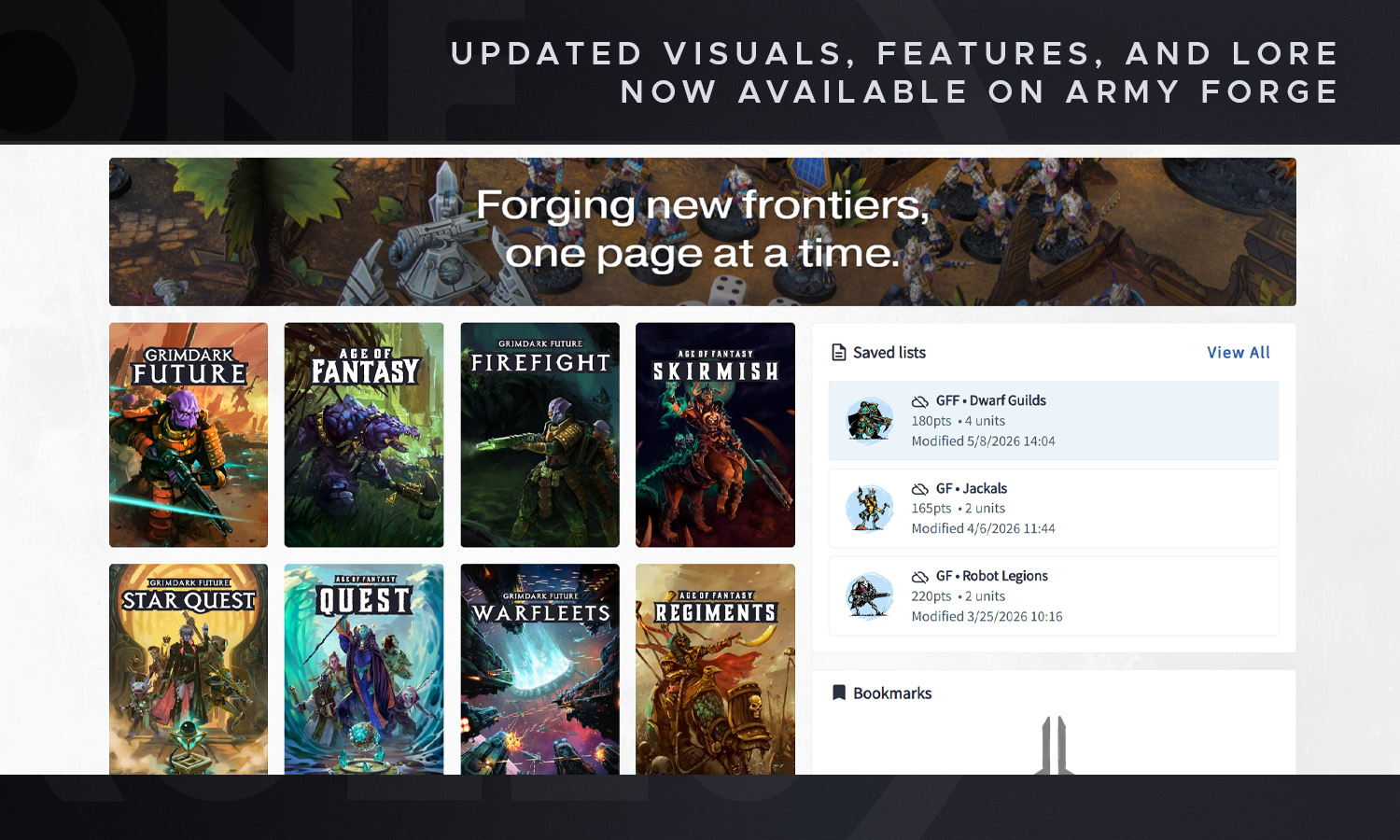
Today's a big day for Army Forge, our free web app that supports all of our games. As a living tool used by the community to make army lists for Age of Fantasy and Grimdark Future, as well as create Heroes and Manage Campaigns for Quest and Star Quest, we get a lot of feedback, both large and small, on how we can improve the experience.
An update went live today that seeks to address some of this feedback as well as add a few things of our own we've been excitedly working on. There's some visual updates to images and backgrounds to make finding things easier, lots of additional links to make navigation better, and new flows to certain systems to streamline that experience for new and existing players.
Which is to say, there's a lot of exciting stuff to show off!
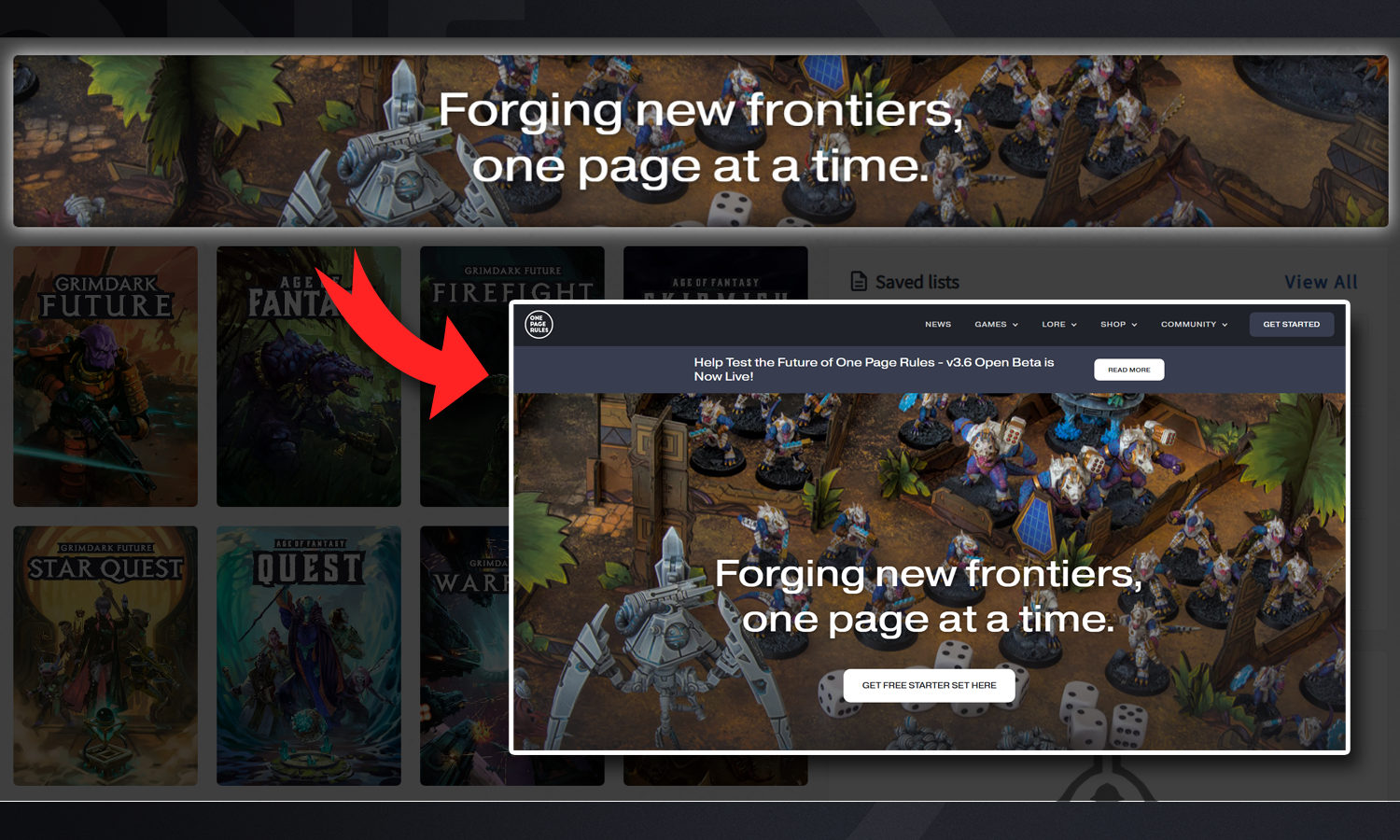
The very first addition will be easy to notice right away. On the Home Page for Army Forge there is a new Banner above where you select the game system. The purpose of this is to make it easier to navigate back to our website from Army Forge, by clicking on the banner it links back to our website, where previously anyone navigating to Army Forge from our Website, would have to hit the back button a bunch.
Additionally we'll be able to use this space to link to other announcements or things we want to bring to the community's attention, making sure no one misses out on anything we might be working on, whether they see it on the Website or Army Forge first.
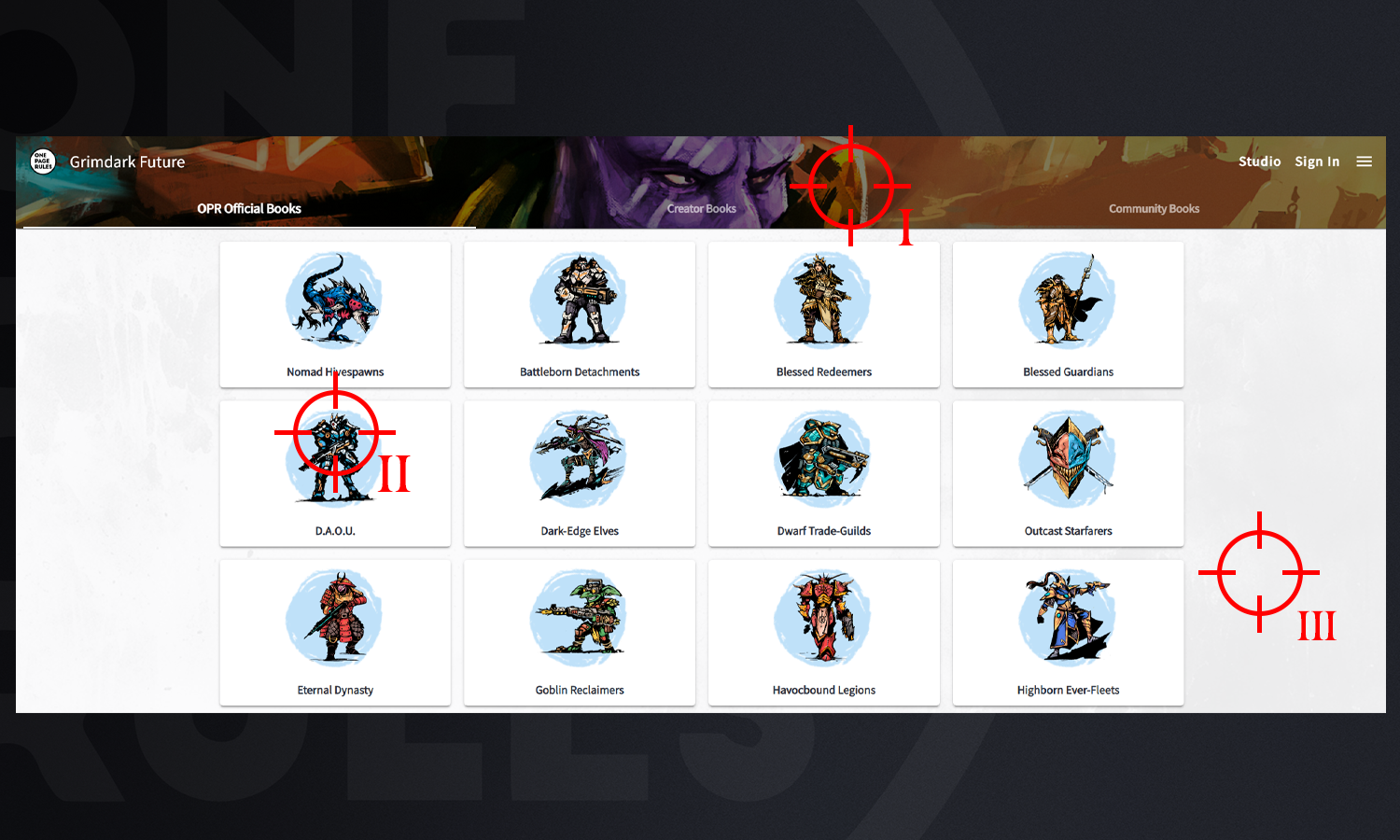
When clicking into one of our game systems for Age of Fantasy and Grimdark Future, there's a few new visual updates that should immediately stick out.
I) The first visual change is that the Banner at the top of the Page changes to show an image of the game system currently being shown. This is just a quick way to, at a glance, make sure a user is in the right area. It also updates to art of the army you select when clicking through, if that army has official OPR artwork.
II) Secondly there are now Colour icons for each of the factions! While mostly this addition just looks nice, it can also help quickly identify the faction you're looking for through colour if you know that faction's colour scheme.
III) Third, the background has been updated with some texture. This helps mute the bright light a bit when using the Light Theme, but also makes the clickable area of buttons easier to navigate.
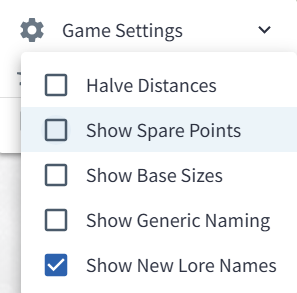
You may have noticed that the names of the factions in the image above look a little different than what you might be used to. As we work to carve out more of our own identity, we want to update the names of some of our factions to be less generic, but making that change immediately might get a bit confusing. So in this Army Forge Update we've added a preview feature through the Game Settings that lets you toggle on a preview of the New Lore Names of our factions.
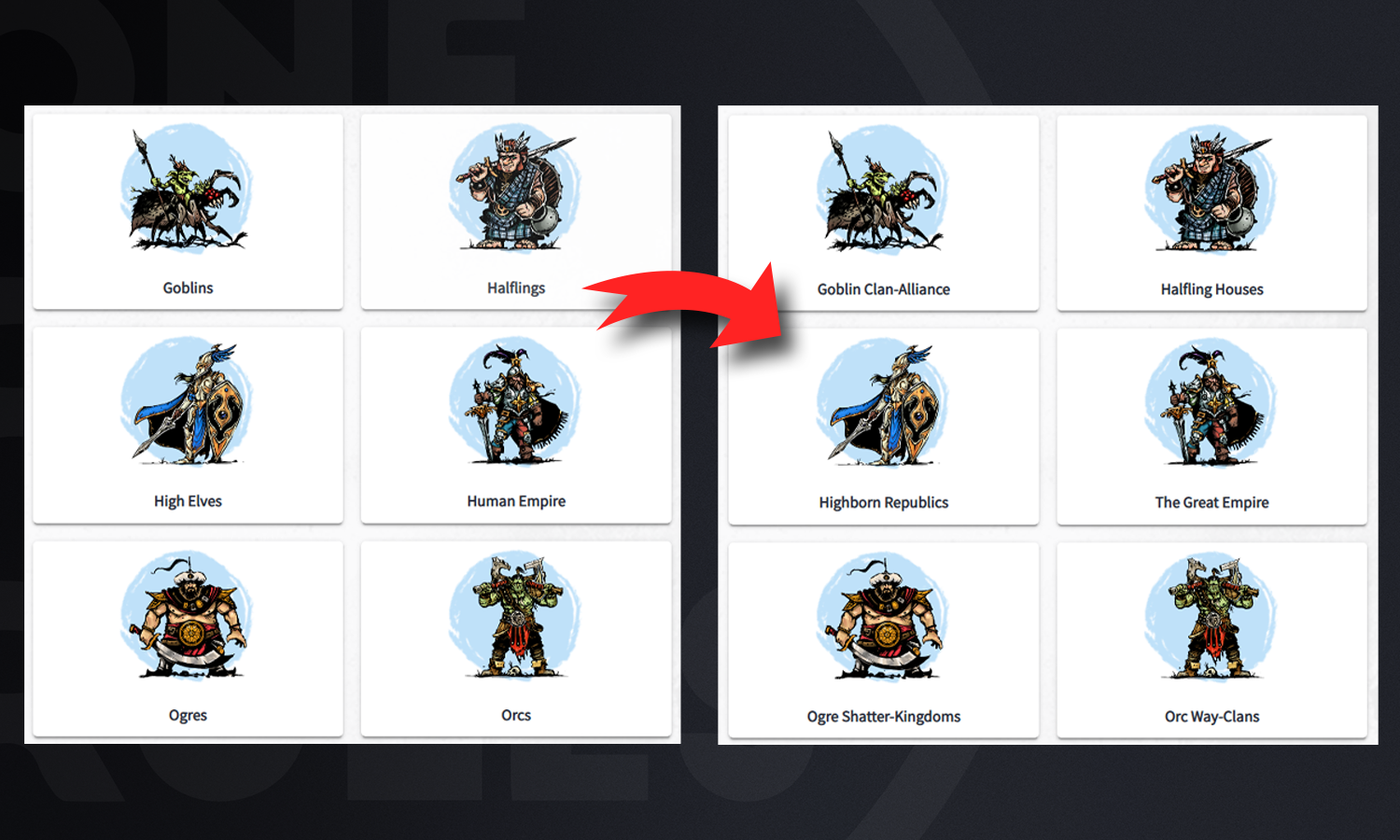
When you toggle this setting on, it'll show off the more Lore Accurate names of all the current factions, (some of which might still be a work in progress, and subject to change.) If this deeper lore isn't something that interests you, it's toggled off by default for now, and if we do make the name changes more permanent in the future, the optional toggle for Generic Naming will continue to exist and return the factions to their more generic names.
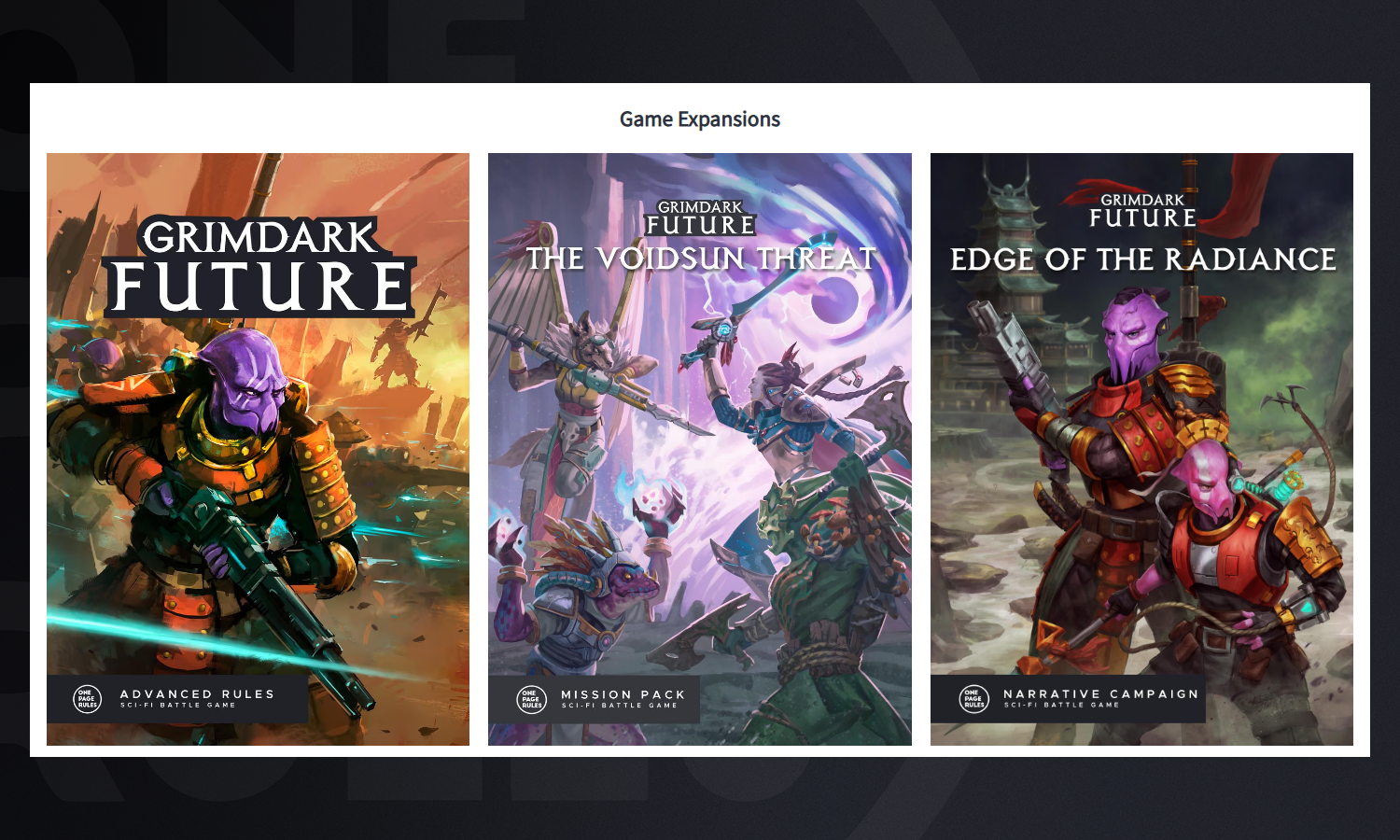
Below all the Factions there's also new links and images of all the Expansions and Army Books available for that Game System. These can work as a quick reminder of which campaigns were made to work with that system, but also link to where you can pick them up on DriveThruRPG.
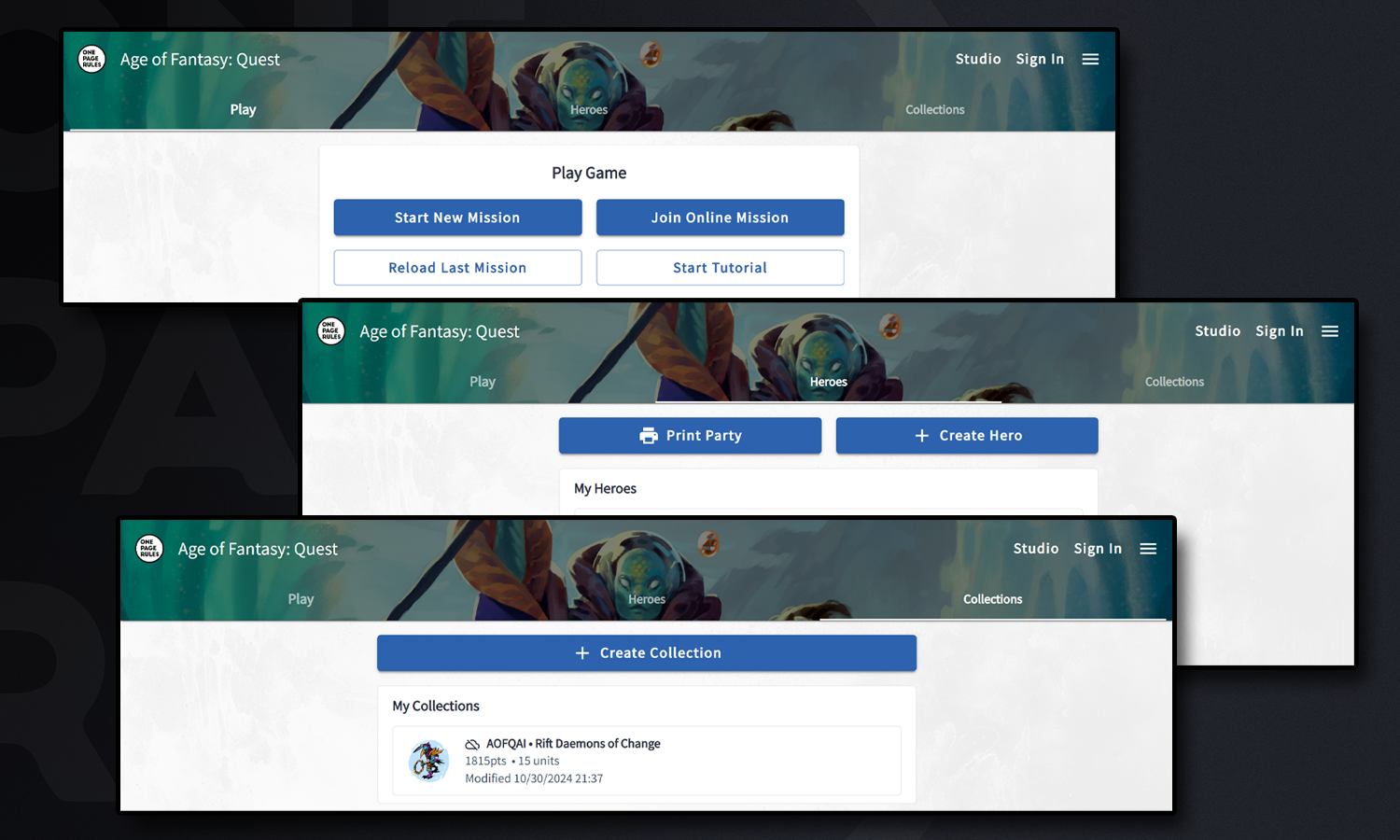
The Quest and Star Quest games have also recieved an overhaul in their Landing Page. Now when you click into Quest you're greeted with three new Tabs: Play, Heroes, and Collections.
The Play tab is the default and has some quick links to get back to playing a campaign or mission your team was already working on, start a new mission, find a mission online to join with others, of if it's the first time checking out Quest, get a tutorial on how to use the application.
Under the Heroes tab is where to make new Heroes, which has also had a process overhaul, (but more on that in a bit!)
Lastly, Collections is where to add all the models a team wants to use as enemies or adversaries for the missions and campaigns.
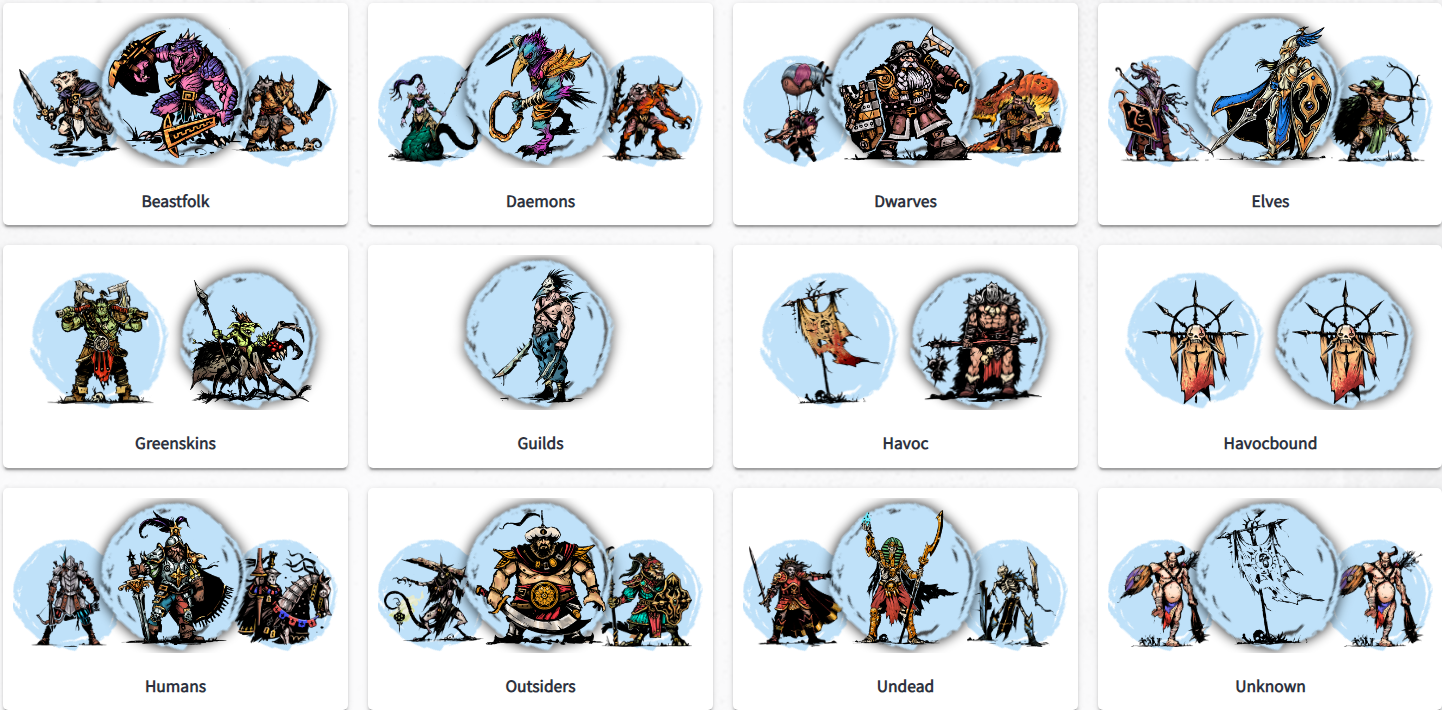
When Starting a New Hero in Quest or Star Quest, the process now goes through multiple steps to make it easier to understand along the way. It starts with selecting the Heroes Type. From Human to Undead, all the species of Tyria are still represented, but now bundled together by those types.
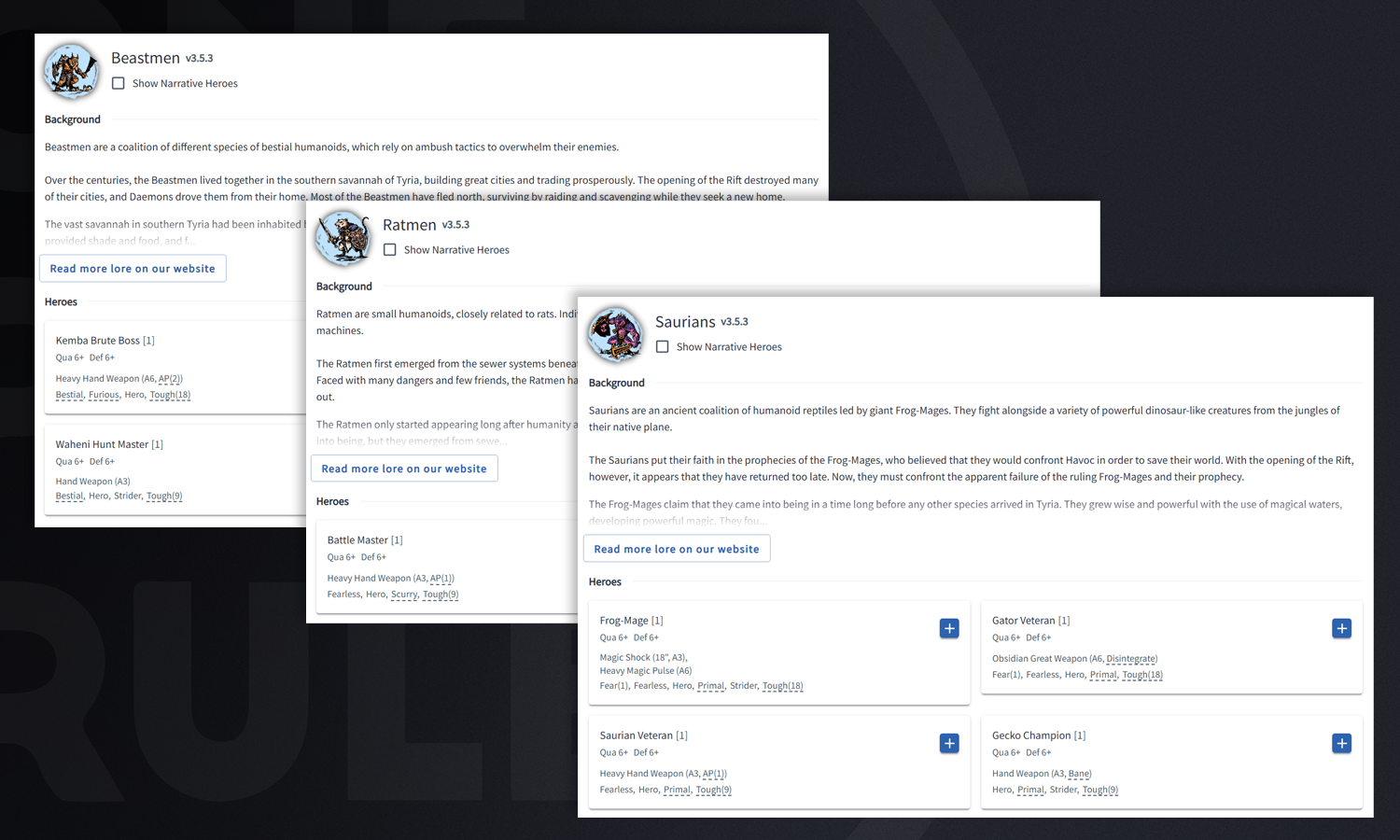
After Selecting the Hero's type, all the faction options for that type will be displayed. Each of them will have options for Sub-types to chose from.
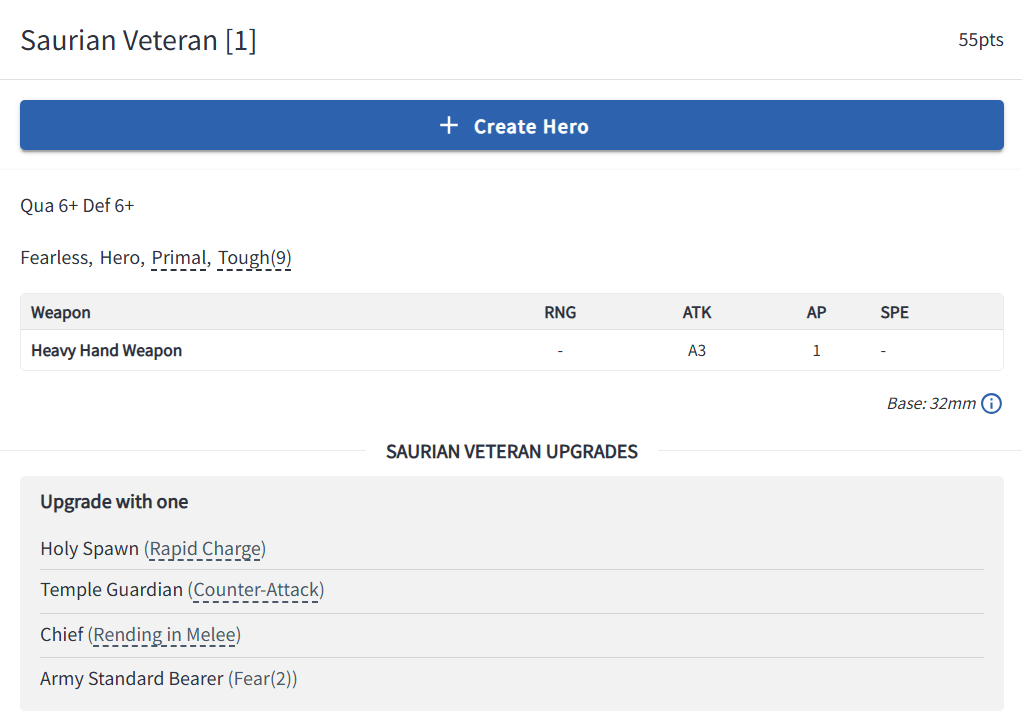
By clicking on one of the Sub-types it'll bring up a side preview of that Heroes starting Stats and Upgrade Options. If that's the Hero you'd like to select, from there just click Create Hero!
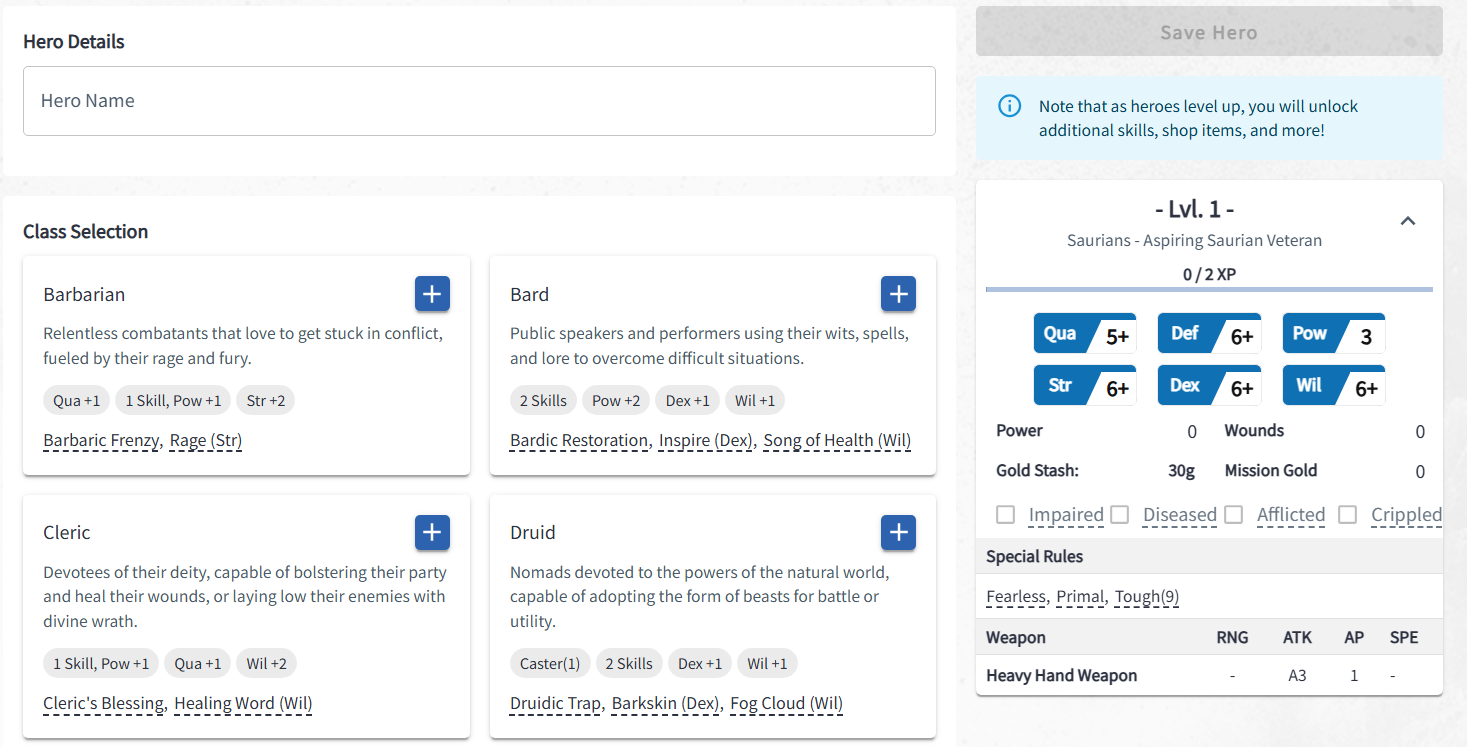
Then you'll get to give your Hero a name and select it's Class. All the Class options will be listed with a preview of the bonuses that class grants, and can be clicked on to get further details about them.
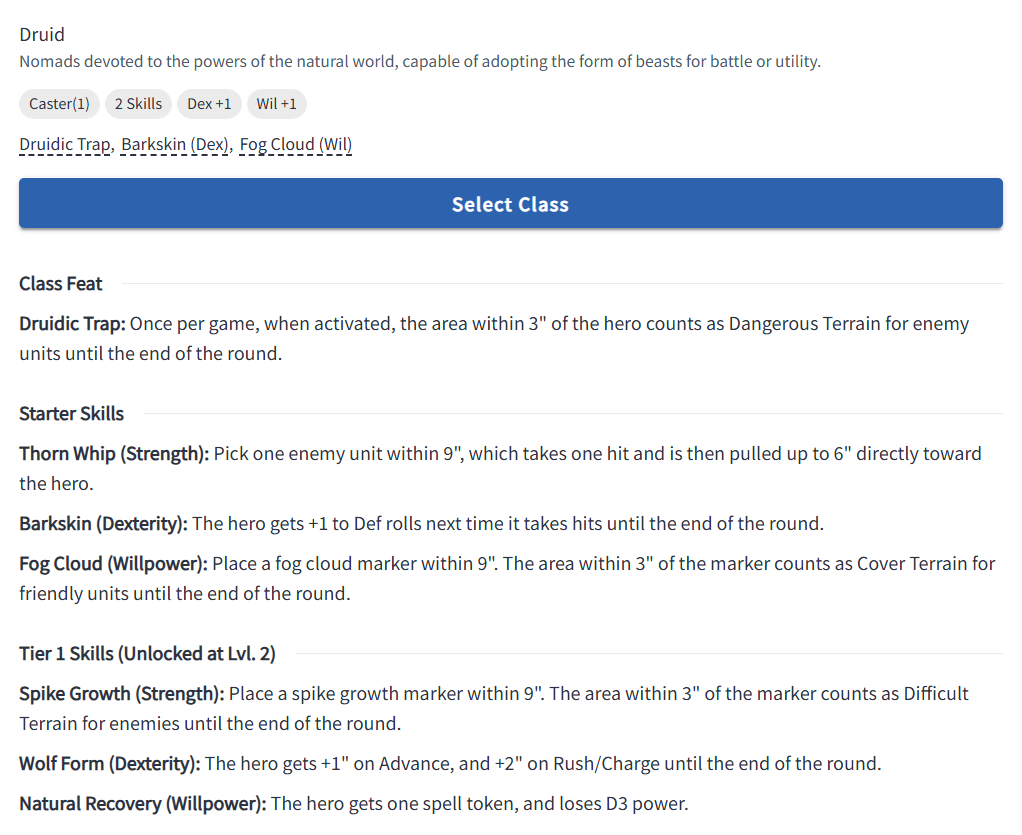
By clicking on a Class, a side window will open up displaying all the Starting Skills for that Class, as well as Skills you can get later on as that Hero levels. Once you're satisfied with your pick, just hit Select Class and it'll pair that Class to the Hero. From there you can get started with the default loadout, or Customise the Hero further by clicking Customise Hero.
These new features are all available now, for free, in Army Forge! So jump in, take a look around, experiment and get familiar with the new Army Forge Today!
Happy Wargaming!
– OPR Team
Support us on Patreon: patreon.com/onepagerules
Join our Community: Discord – Facebook – Bluesky – Twitter – Reddit
Updated Visuals, Features, and Lore now available on Army Forge
Today's a big day for Army Forge, our free web app that supports all of our games. As a living tool used by the community to make army lists for Age of Fantasy and Grimdark Future, as well as create Heroes and Manage Campaigns for Quest and Star Quest, we get a lot of feedback, both large and small, on how we can improve the experience.
An update went live today that seeks to address some of this feedback as well as add a few things of our own we've been excitedly working on. There's some visual updates to images and backgrounds to make finding things easier, lots of additional links to make navigation better, and new flows to certain systems to streamline that experience for new and existing players.
Which is to say, there's a lot of exciting stuff to show off!
The very first addition will be easy to notice right away. On the Home Page for Army Forge there is a new Banner above where you select the game system. The purpose of this is to make it easier to navigate back to our website from Army Forge, by clicking on the banner it links back to our website, where previously anyone navigating to Army Forge from our Website, would have to hit the back button a bunch.
Additionally we'll be able to use this space to link to other announcements or things we want to bring to the community's attention, making sure no one misses out on anything we might be working on, whether they see it on the Website or Army Forge first.
When clicking into one of our game systems for Age of Fantasy and Grimdark Future, there's a few new visual updates that should immediately stick out.
I) The first visual change is that the Banner at the top of the Page changes to show an image of the game system currently being shown. This is just a quick way to, at a glance, make sure a user is in the right area. It also updates to art of the army you select when clicking through, if that army has official OPR artwork.
II) Secondly there are now Colour icons for each of the factions! While mostly this addition just looks nice, it can also help quickly identify the faction you're looking for through colour if you know that faction's colour scheme.
III) Third, the background has been updated with some texture. This helps mute the bright light a bit when using the Light Theme, but also makes the clickable area of buttons easier to navigate.
You may have noticed that the names of the factions in the image above look a little different than what you might be used to. As we work to carve out more of our own identity, we want to update the names of some of our factions to be less generic, but making that change immediately might get a bit confusing. So in this Army Forge Update we've added a preview feature through the Game Settings that lets you toggle on a preview of the New Lore Names of our factions.
When you toggle this setting on, it'll show off the more Lore Accurate names of all the current factions, (some of which might still be a work in progress, and subject to change.) If this deeper lore isn't something that interests you, it's toggled off by default for now, and if we do make the name changes more permanent in the future, the optional toggle for Generic Naming will continue to exist and return the factions to their more generic names.
Below all the Factions there's also new links and images of all the Expansions and Army Books available for that Game System. These can work as a quick reminder of which campaigns were made to work with that system, but also link to where you can pick them up on DriveThruRPG.
The Quest and Star Quest games have also recieved an overhaul in their Landing Page. Now when you click into Quest you're greeted with three new Tabs: Play, Heroes, and Collections.
The Play tab is the default and has some quick links to get back to playing a campaign or mission your team was already working on, start a new mission, find a mission online to join with others, of if it's the first time checking out Quest, get a tutorial on how to use the application.
Under the Heroes tab is where to make new Heroes, which has also had a process overhaul, (but more on that in a bit!)
Lastly, Collections is where to add all the models a team wants to use as enemies or adversaries for the missions and campaigns.
When Starting a New Hero in Quest or Star Quest, the process now goes through multiple steps to make it easier to understand along the way. It starts with selecting the Heroes Type. From Human to Undead, all the species of Tyria are still represented, but now bundled together by those types.
After Selecting the Hero's type, all the faction options for that type will be displayed. Each of them will have options for Sub-types to chose from.
By clicking on one of the Sub-types it'll bring up a side preview of that Heroes starting Stats and Upgrade Options. If that's the Hero you'd like to select, from there just click Create Hero!
Then you'll get to give your Hero a name and select it's Class. All the Class options will be listed with a preview of the bonuses that class grants, and can be clicked on to get further details about them.
By clicking on a Class, a side window will open up displaying all the Starting Skills for that Class, as well as Skills you can get later on as that Hero levels. Once you're satisfied with your pick, just hit Select Class and it'll pair that Class to the Hero. From there you can get started with the default loadout, or Customise the Hero further by clicking Customise Hero.
These new features are all available now, for free, in Army Forge! So jump in, take a look around, experiment and get familiar with the new Army Forge Today!
Happy Wargaming!
– OPR Team
Support us on Patreon: patreon.com/onepagerules
Join our Community: Discord – Facebook – Bluesky – Twitter – Reddit